
Registration and Account Setup
-
Begin Registration
Section titled “Begin Registration”-
Begin the registration process if you don’t have an account by clicking/tapping on the
“Register Now”button on the navigation bar. This is a preliminary step for new users.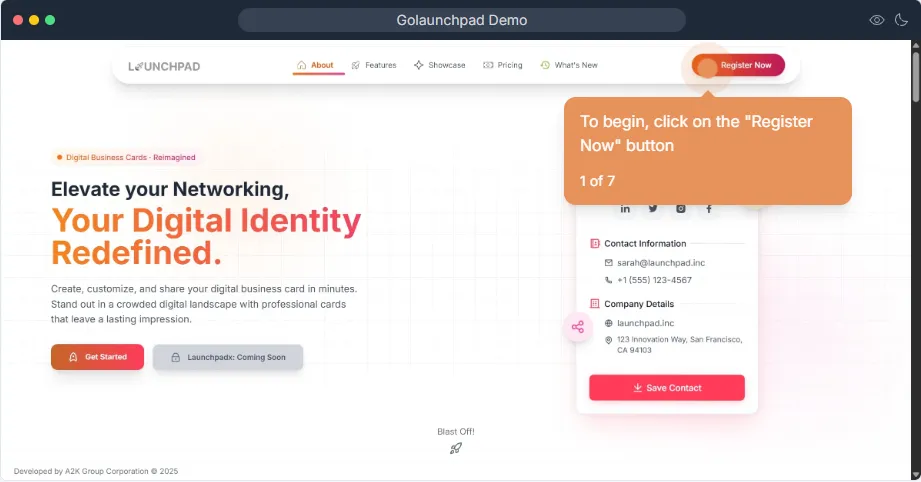
-
-
Fill in Personal Details
Section titled “Fill in Personal Details”-
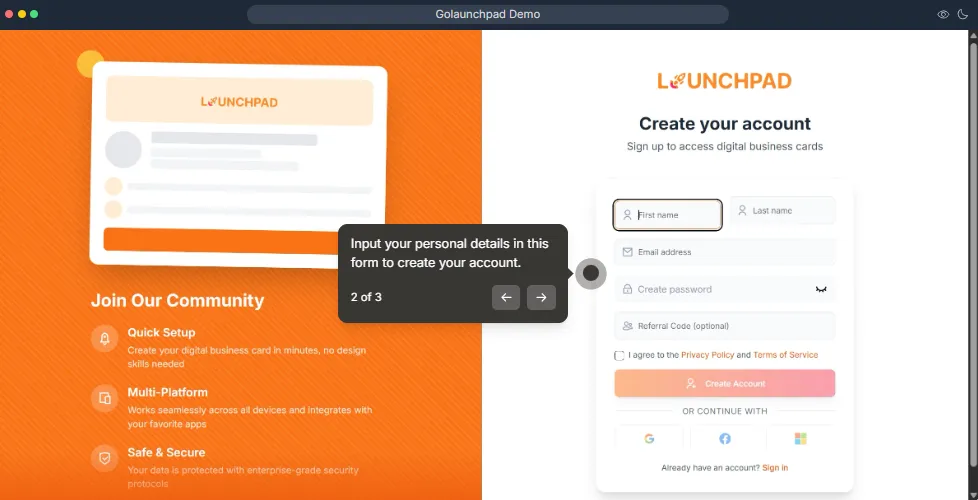
Provide your first and last name to start filling in your personal details for registration.
-
Including email and password is essential for account creation.
-
-
Accept Terms and Conditions
Section titled “Accept Terms and Conditions”-
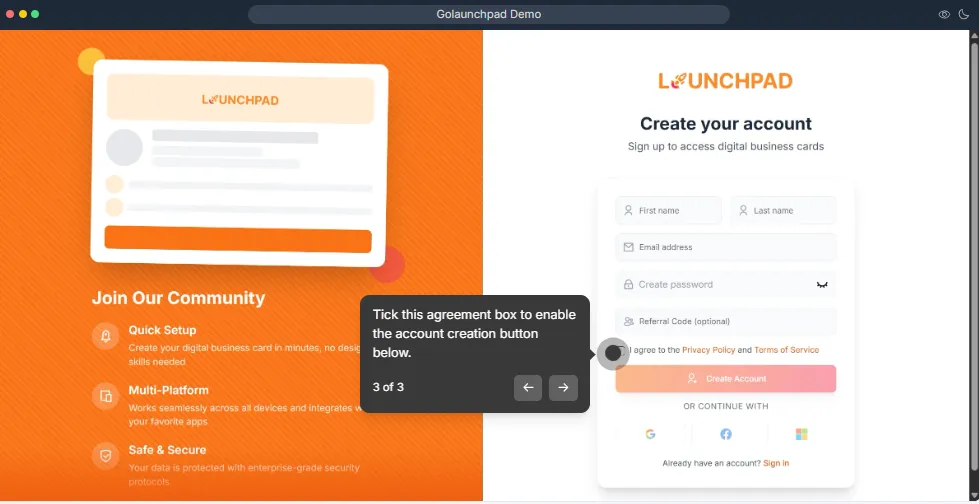
Read and accept the terms and conditions to proceed with account creation.
-
This step is crucial for compliance and understanding of user rights and responsibilities.
-
-
Verify Your Email
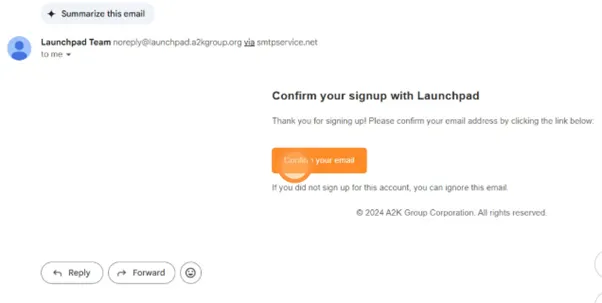
Section titled “Verify Your Email”After the registration process, you’ll be prompted to the verify email page, in there, our platform will send a verification email to you based on the email you’ve provided e.g. Gmail, Outlook, Proton etc.
-
Complete Registration
Section titled “Complete Registration”- Once done, you will be redirected to Launchpad’s homepage, where you’ll see the
"Register Now"button replaced with"My Cards".
- Once done, you will be redirected to Launchpad’s homepage, where you’ll see the