
Navigating the Editor
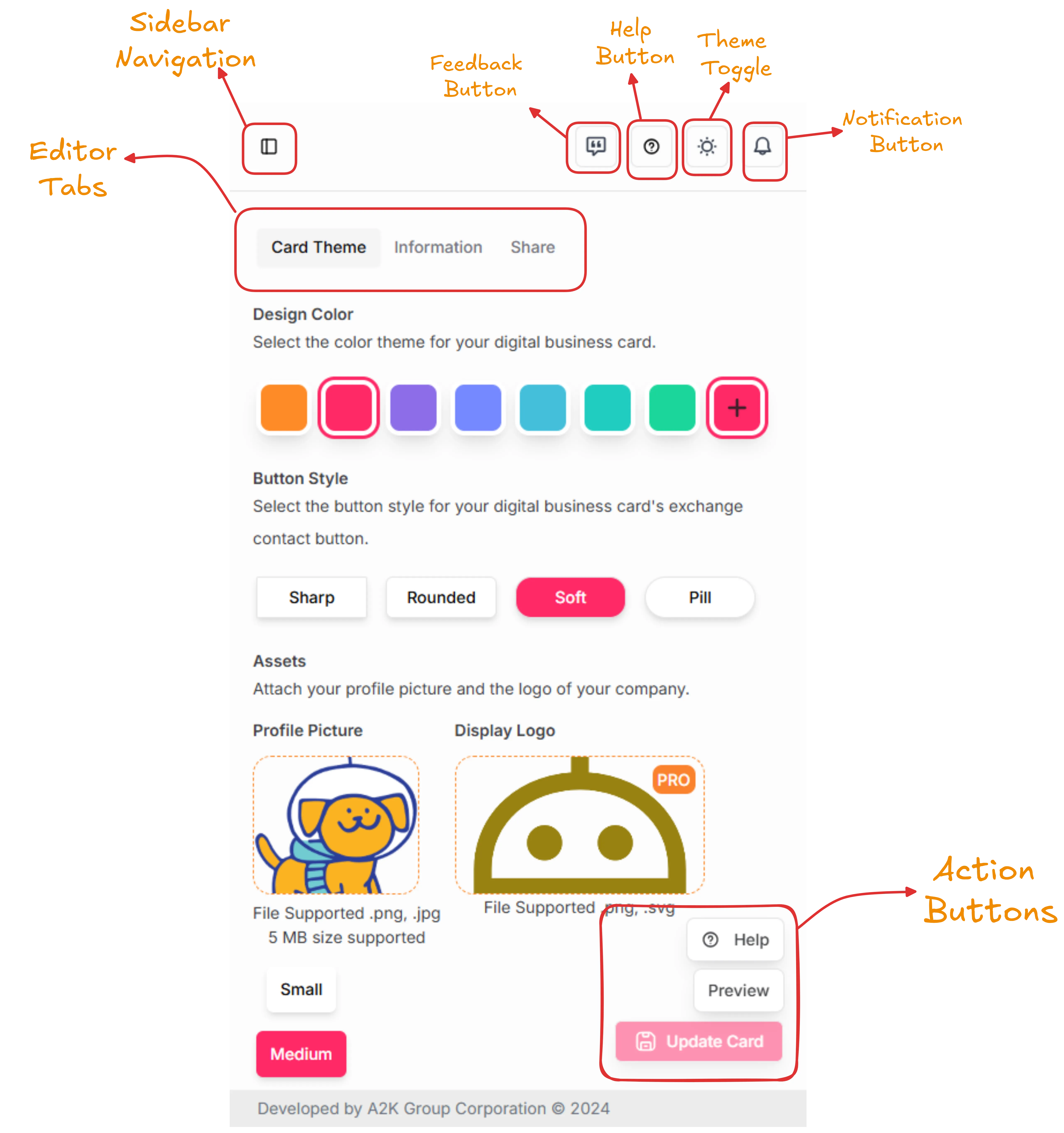
Let’s begin with creating your first digital business card on Launchpad. This comprehensive guide will walk you through the entire process step-by-step, ensuring you have a professional and shareable card ready to make a great first impression.
Creating your digital business card is a straightforward process that involves three main phases: designing your card’s appearance, adding your personal and professional information, and publishing it with a unique domain. Each step is designed to be intuitive while giving you complete control over how you present yourself professionally.
Important: Complete All Required Sections
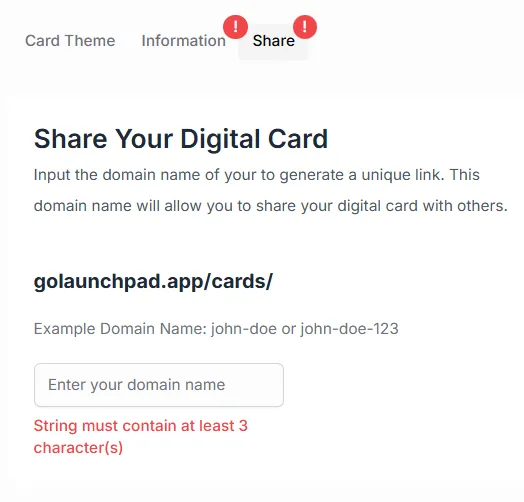
Section titled “Important: Complete All Required Sections”Example Error:
Common Challenges and Solutions
Section titled “Common Challenges and Solutions”🚫 Avoiding Common Mistakes
Section titled “🚫 Avoiding Common Mistakes”Design Pitfalls:
- Too Much Information: Keep it focused and scannable
- Poor Photo Quality: Invest in a professional headshot
- Inconsistent Branding: Maintain visual consistency throughout
- Outdated Information: Set reminders to review and update regularly
Technical Issues:
- Broken Links: Test all external links before publishing
- Slow Loading: Optimize images and minimize heavy elements
- Mobile Problems: Always test on actual mobile devices
- Domain Conflicts: Check availability before finalizing your choice
🛠️ Troubleshooting Guide
Section titled “🛠️ Troubleshooting Guide”If you encounter issues during creation:
- Clear Your Browser Cache: Refresh the page and try again
- Check Image Formats: Ensure photos meet size and format requirements
- Verify Information: Double-check required fields are complete
- Test Connections: Ensure stable internet connection
- Contact Support: Reach out if technical problems persist
Remember, creating your first digital business card is just the beginning. As you become more familiar with the platform, you can explore advanced features, experiment with different designs, and optimize your card for maximum impact. Take your time during the creation process to ensure your card truly represents your professional brand and makes the right impression on everyone who views it.