
Publishing and Sharing Your Card
Prepping your Card for Publication and Sharing
Section titled “Prepping your Card for Publication and Sharing”After you’ve finished inputting the necessary information, you can now proceed to the Share section. The Share section currently involves the user drafting a name for their digital card’s domain so that the platform recognizes it and initializes it for sharing with your friends and family.
Steps to Publish and Share Your Card
Section titled “Steps to Publish and Share Your Card”- Navigate to the Share Section: Click on the “Share” tab in the card editor.
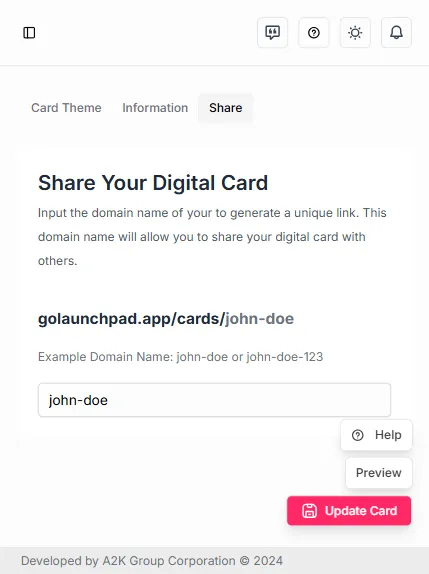
- Enter a Unique Domain Name:
- Choose a unique domain name for your card. This will be the URL that you share with others.
- The domain name should be memorable and relevant to you or your brand.
- Check Availability:
- The platform will check if the domain name is available.
- If the name is already taken, you will need to choose a different one.
- Publish Your Card:
- Once you have a unique domain name, click the “Save Card” button.